Coming Soon • $29 Lifetime License

Automate Your Hardware Sampling

Sample synthesizers and Eurorack modules in minutes, not hours. Fully automated workflow with export-ready instruments at the click of a button.

Lifetime Updates
One-Time Payment
Commercial Use Allowed
Stop Wasting Time on Manual Sampling

Manual sampling is tedious. Automation is the answer.

The Old Way

Manual Sampling

Hours of repetitive work that keeps you from making music.

  • Play each note manually
  • Record, trim, and organize files
  • Complex naming conventions
  • Tedious sampler mapping
  • Inconsistent results
  • Risk of losing patches
The Automated Way

Sampling Assistant

Set it and forget it. Export-ready instruments in minutes.

  • Fully automated MIDI & recording
  • Smart detection and trimming
  • Industry-standard file naming
  • Auto-mapping for all formats
  • Professional quality output
  • Preserve patches forever

Perfect For

Whether you're a modular enthusiast, synth collector, or professional sound designer

🎛️

Modular Enthusiasts

Preserve your perfect Eurorack patches before tearing down. Capture complex modular sequences and textures forever.

🎹

Synth Collectors

Get your hardware gear accessible in-the-box. Sample your entire collection and use it anywhere.

🎨

Sound Designers

Create professional sample libraries for sale or personal use. Automated workflow means more time for creativity.

🎵

Producers

Hardware character without the cable mess. Access sampled instruments instantly in your DAW.

Core Features

Everything you need for professional hardware sampling

Fully Automated Workflow

Automatic MIDI note sending, recording, sample detection, trimming, and file organization. You configure it once, click start, and it does everything.

Universal MIDI Support

Works with any MIDI-capable device: hardware synths, Eurorack modules with MIDI-CV, and even VST instruments.

Multi-Velocity & Round Robin

Capture up to 10 velocity layers and multiple round-robin variations per note for realistic, expressive instruments.

Mono & Stereo Recording

Record in mono or stereo with ASIO support for low-latency, professional-quality audio capture.

Smart Organization

Industry-standard file naming and folder structure. Everything is organized exactly how samplers expect it.

Studio Refined Interface

Clean, dark-themed UI with LED-style indicators and real-time visual feedback. Professional tools deserve professional design.

Export to Your Favorite Sampler

Full auto-mapping for industry-standard formats

SFZ
Auto-Mapping

Complete automatic mapping for sforzando, ARIA, and any SFZ-compatible sampler. Export once, use everywhere.

Decent Sampler
Auto-Mapping

Direct export with full mapping for the free Decent Sampler plugin. Load and play immediately.

Kontakt
Script-Assisted

Copy-paste workflow with included script. Instant mapping in Kontakt with proper velocity layers and round robins.

How It Works

Four simple steps from connection to export-ready instrument

1

Connect Your Instrument

Connect your synthesizer or Eurorack module via MIDI and audio interface. Select your MIDI output and audio input in Sampling Assistant.

2

Configure Your Session

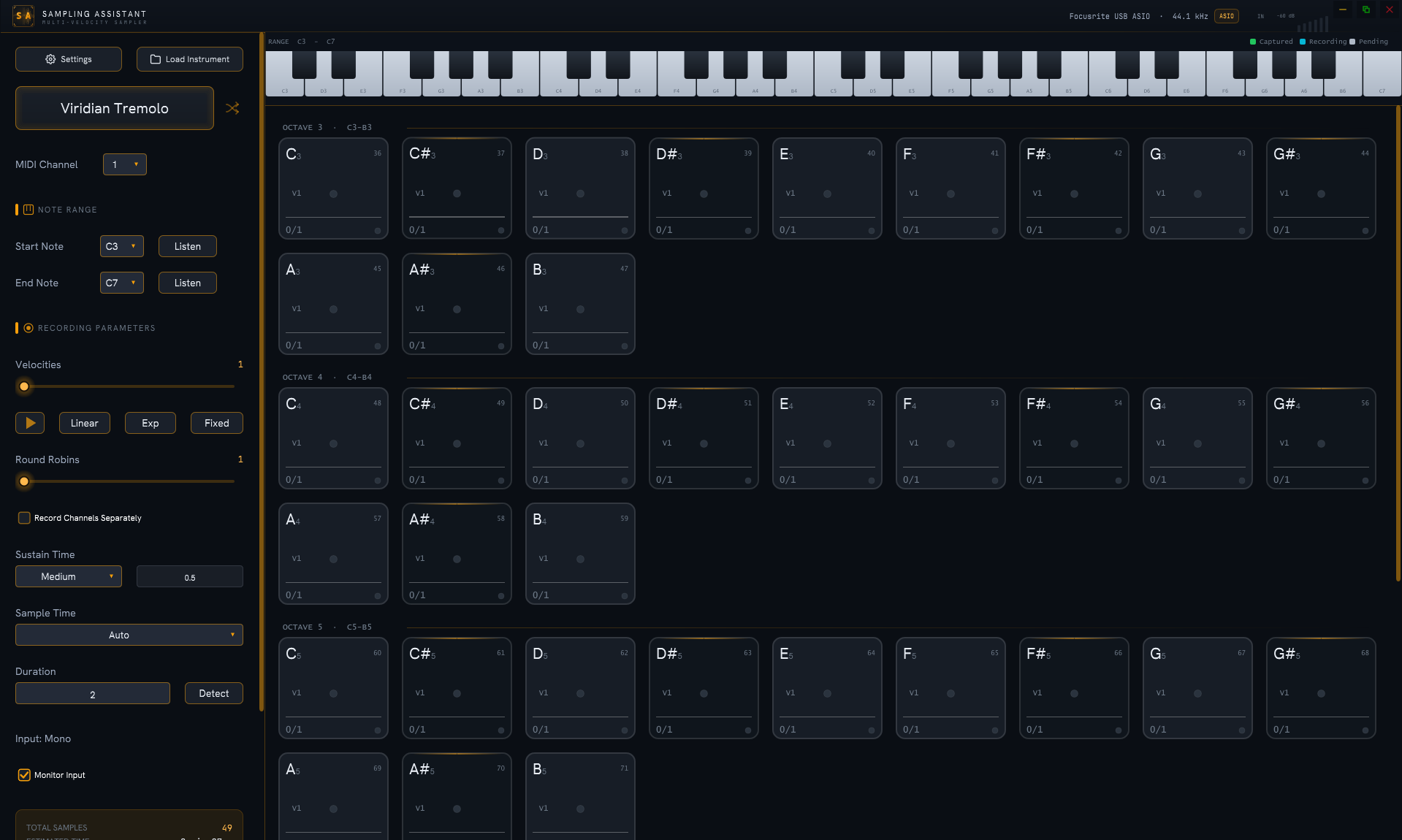
Set your note range, number of velocity layers (1-10), round-robin variations, and sample duration. The NoteCard grid shows exactly what will be recorded.

3

Start Sampling

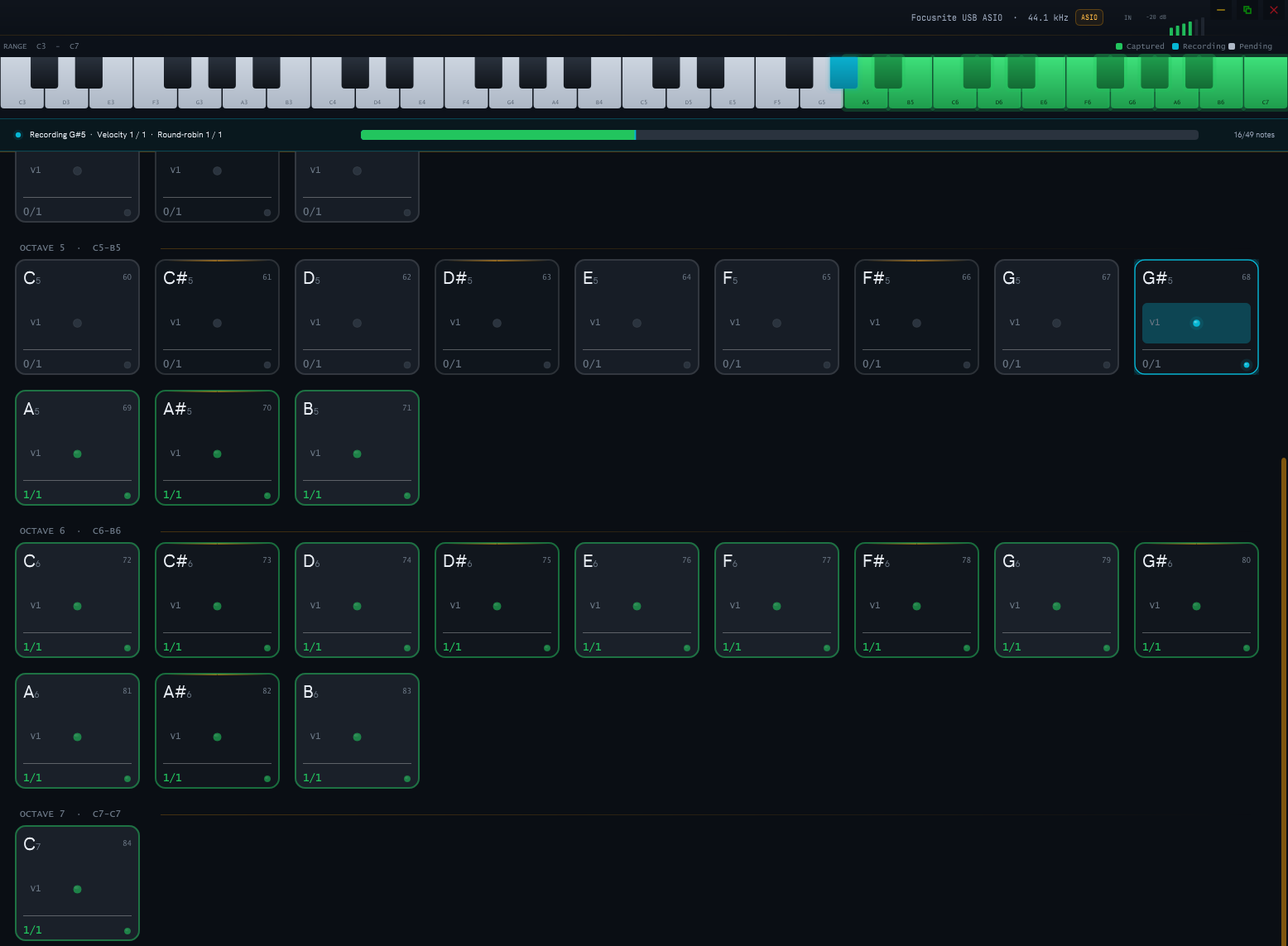
Click "Start" and watch the LEDs pulse as Sampling Assistant automatically sends MIDI notes, records audio, detects samples, trims silence, and organizes files.

4

Export & Use

Choose your export format (SFZ, Decent Sampler, or Kontakt). Instant auto-mapping means you can load and play your instrument immediately.

Kontakt Export Made Simple

One-time copy-paste workflow for instant Kontakt mapping

1

Export to Kontakt

When your instrument is fully sampled, click "Export to Kontakt" in Sampling Assistant. This generates a ready-to-use script.

2

Copy the Script

The generated script appears in the export window. Simply copy it to your clipboard with one click.

3

Open Kontakt

Launch Kontakt and create a new empty instrument. Open the Kontakt Script Editor (wrench icon).

4

Paste & Apply

Paste the script into the editor and click "Apply". The script automatically loads all samples at the correct positions with proper velocity layers and round robins.

5

Save as .nki

Save your Kontakt instrument as an .nki file. Done! Your hardware is now a playable Kontakt instrument.

See It In Action

Demo video and screenshots coming soon

📹

Demo video coming soon
Watch the full automated workflow in action

Simple, Transparent Pricing

One price, lifetime access, all future updates included

Launch Price
$29

One-time payment • Lifetime license

  • Full automation for hardware sampling
  • Multi-velocity & round-robin support
  • SFZ, Decent Sampler, and Kontakt export
  • Mono and stereo recording
  • Lifetime updates (all future features)
  • Commercial use allowed
  • Windows support (Mac coming soon)
  • Priority email support

Not available yet. Join the waitlist to be notified at launch and lock in the $29 lifetime price.

Frequently Asked Questions

Sampling Assistant is currently in development. We don't have a specific release date yet, but join the waitlist to be notified as soon as it launches. Early waitlist members will lock in the $29 lifetime price before it increases.
Currently Windows only. Mac support is planned and will be a free update for all lifetime license holders.
Not yet, but automatic note detection is coming soon as a free update. This will allow you to sample any audio source, even without MIDI.
Currently WAV format. Additional formats (FLAC, AIFF) are planned for future updates.
Pay once, own forever. You get all future updates at no additional cost. As features are added, the price will increase for new customers, but existing customers keep their license at the price they paid.
Any ASIO-compatible audio interface will work. For best results, use a low-latency interface with decent preamps for clean recordings.
Absolutely! Your license includes full commercial use rights. Create and sell sample libraries made with Sampling Assistant.
Not currently. However, at $29 for a lifetime license with all future updates, the risk is minimal compared to the time you'll save.
Upcoming features include: automatic note detection (sample without MIDI), built-in sample editing, automatic loop detection, Mac support, additional export formats, VST3 effects chain, and automatic VST instrument sampling. All free for lifetime license holders.

Be First to Know When We Launch

Join the waitlist to get notified when Sampling Assistant is available. Lock in the $29 lifetime price before it increases.

No spam, ever. We'll only email you when Sampling Assistant launches.